


I thought it would be good to make a little catch-all post with useful links of how, 101 style.
Why? – because this is a competition, and presenting your album goes a long way. Having nice ordered tracks with creative art is awesome. Also if its not done correctly, songs get lost when you drag them into your music player, and people won’t be on the same page.
Rip music off youtube or soundcloud:
How to tag and upload
Step 1: Put it together
- Copy your songs to a folder.
- Copy your album art to the folder, name it front.jpg
- Name the folder, ‘Your Name – Album Name’
Step 2: Tagging
On Windows:
- Download MP3tag, and open it (very useful, could use iTunes too but I find this easier, and I hate iTunes)
- File -> Add Directory and load your folder a list of your songs will all load up
- Select all your songs and in the ‘Album Artist’ and ‘Album’ field on the left, fill in Your Name and Jimmy Mix 16: Album name respectively, click save. Do this for Disc number too – as 1
- Check your songs individually and make sure the artist and track titles are filled in. Number your track-numbers to sort out the order 01, 02 etc (put the zero in).., Fill in any other fields. click save each time you are done with a track. (you can sort the tracks by the track number column to check it out)
- Album art – select your songs, right click on the album art box on the left, and add your front cover image. click save.
Step 3: Clean up files
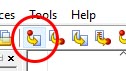
- In MP3 Tag you can do this automatically, Click on the tag to filename button.
- Paste in the following string and click OK: $num(%track%,2) – %artist% – %title%
- Add your back.jpg image to the folder with your tracklist on it. A text document is fine too.
- Alternatively rename your tracks individually, starting with track number example: 01 Boney M – White Christmas.mp3
Step 4: Upload
- Upload your folder over at Make a Mixtape
- All Done!!!
[…] If you’re struggling to get hold of the files for the tracks you want to include, there’s a super helpful post with links to resources and all sorts, click here. […]
Is there a way to sort out your metadata on Mac wthout using iTunes? MP3 tag is an .exe file so it’s no good to me.
Too little too late seeing as you’re done but http://www.pa-software.com/id3editor/ is a goodie I hear. Sorry it was a little hard to do a step by step for Mac seeing as I don’t have one.